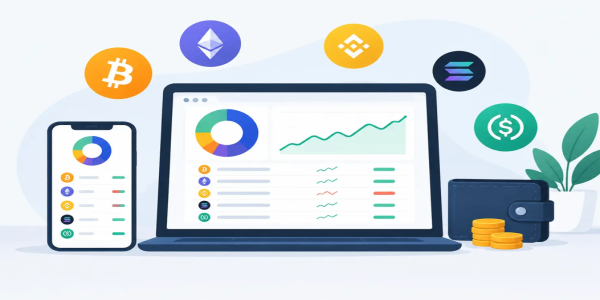
7 Best Crypto Portfolio Trackers Compared
Compare the best crypto portfolio trackers for private, fast portfolio visibility. Find the features that matter before you connect wallets and exchanges.
A green portfolio screen can hide a losing trade, while a red screen can hide a strong position you simply bought at the wrong time. The best crypto portfolio trackers give you the numbers that matter: your real cost basis, asset allocation, wallet balances, realized gains, and performance across every exchange and chain you use. For traders moving quickly between assets, that visibility is not a luxury. It is control.
A tracker should reduce friction, not create another account full of sensitive information and confusing charts. The right choice depends on how you trade, where you hold crypto, and how much data you are willing to share to get an all-in-one view.
What the Best Crypto Portfolio Trackers Actually Do
A portfolio tracker pulls balances and transaction data from the places where your crypto lives. That may include exchange accounts, public wallet addresses, DeFi protocols, and manual holdings. It then turns scattered activity into a single dashboard.
At a minimum, a useful tracker shows total portfolio value, individual asset performance, allocation by coin, transaction history, and profit or loss. More advanced tools add price alerts, tax reports, DeFi position tracking, NFT values, API connections, and wallet analytics.
The distinction matters. A clean dashboard is helpful, but it does not automatically make a tool useful for active trading. If you convert assets often, trade on multiple platforms, or use several wallets, you need accurate transaction syncing and clear performance calculations. If you are focused on a few long-term positions, a simple manual tracker may be all you need.
No tracker can fix incomplete information. Transfers between your own wallets, unsupported chains, and missing historical trade data can distort gains until you categorize or correct them. Treat the dashboard as a decision tool, not an unquestionable record.
7 Best Crypto Portfolio Trackers to Consider
1. CoinStats
CoinStats is built for users who want broad coverage without staring at separate exchange and wallet screens. It supports connections across many exchanges, wallets, and blockchains, with a mobile-first experience that makes portfolio checks fast.
Its appeal is convenience. You can monitor holdings, follow watchlists, set alerts, and see a consolidated allocation in one place. For a trader holding assets on centralized platforms plus self-custody wallets, that broad connection support can save time.
The trade-off is access. Before connecting any account, understand whether you are using read-only API keys, wallet addresses, or permissions that can initiate actions. A tracker should never need withdrawal access simply to display balances.
2. Delta Investment Tracker
Delta offers a polished interface for investors who want a simple, visual view of crypto alongside other assets. It is especially attractive for traders who dislike clutter and want to understand portfolio movement without building a spreadsheet.
The app supports exchange connections and wallet tracking, with charts that make allocation and daily changes easy to scan. It can be a good fit for beginners and intermediate users who value design and straightforward portfolio monitoring.
Its strength is clarity rather than deep trading analytics. If you need detailed DeFi reporting or extensive tax workflows, you may need a more specialized option.
3. CoinTracker
CoinTracker sits at the intersection of portfolio tracking and crypto tax organization. It is designed to aggregate transactions, calculate gains, and help users prepare records for tax filing.
That makes it useful for US traders whose activity is more complicated than occasional buying and holding. Swaps, sales, transfers, and rewards can create reporting obligations, and a consistent transaction history can make tax season far less stressful.
The limitation is that tax-focused platforms can require cleanup. Misclassified transfers or unsupported transactions can produce misleading totals. Review your data before relying on any generated report, particularly if you trade frequently or interact with DeFi.
4. Koinly
Koinly is another strong choice for tax-oriented crypto users. It organizes transactions from exchanges, wallets, and blockchains, then applies accounting methods to help calculate gains and losses.
Its value is practical: instead of hunting through years of fills and wallet transfers, you can work from one transaction ledger. That is particularly useful for traders who have moved funds between platforms or converted one crypto asset into another many times.
Koinly is less about real-time market action and more about getting your records in order. Choose it when clean reporting is the priority, not when you want a live trading command center.
5. CoinLedger
CoinLedger focuses on turning crypto activity into more manageable tax records. The platform is geared toward traders who want a simpler route from exchange and wallet history to transaction classification and reporting.
For users with straightforward spot trading activity, that focus can be an advantage. You do not always need a massive analytics suite. You need clean records, understandable calculations, and enough support for the platforms you actually use.
As with every tax tracker, check the imported data. A platform may recognize a transaction on-chain without knowing its full context. You may still need to label a deposit, internal transfer, income event, or trade correctly.
6. Zerion
Zerion is designed for the on-chain side of crypto. It is a strong option for users who hold assets in self-custody wallets, use decentralized exchanges, or participate in DeFi.
Instead of relying mainly on centralized exchange connections, Zerion helps you view wallet holdings, tokens, and DeFi positions directly from public blockchain activity. For traders who prefer direct control of their assets, this approach fits naturally with a wallet-first strategy.
Public wallet tracking has an obvious privacy consideration. Anyone with your address can see activity on a transparent blockchain. Use separate addresses where appropriate, and remember that a tracker does not make on-chain activity private.
7. Kubera
Kubera is aimed at people who want crypto viewed as part of a wider financial picture. Alongside digital assets, it can help users track traditional investments and other holdings.
This approach is useful if your goal is net-worth visibility rather than crypto-only analytics. You can see how digital assets fit into your larger allocation instead of treating every coin movement as a separate event.
For an active crypto trader, Kubera may be more than necessary. For an investor balancing crypto with stocks, cash, and other assets, its wider lens can be a real advantage.
Choose a Tracker Based on How You Move
The best tracker is not the one with the longest feature list. It is the one that accurately reflects your actual activity with the fewest unnecessary permissions.
If you trade across centralized exchanges, prioritize reliable API syncing, support for your trading venues, and a dashboard that refreshes quickly. If you hold in self-custody, look for wallet and chain coverage. If tax reporting is the pressure point, choose a platform that can import your full history and export records that work for your filing process.
Privacy-conscious users should be especially selective. A wallet address is public on-chain, but the way you connect addresses, exchange accounts, email addresses, and identity details can create a fuller picture of your activity than you intended to share. Start with read-only connections. Avoid giving a portfolio app trading or withdrawal permissions. Use a unique password and two-factor authentication, and revoke API keys you no longer need.
You should also consider speed. A tracker that takes hours to reflect a transfer or misses a token swap can lead to poor decisions in a fast market. Check recent user feedback, supported networks, and how the platform handles transaction errors before making it your main source of truth.
Build a Clearer Crypto Command Center
Start small. Connect one exchange or one wallet with read-only access, then compare the tracker’s balances and transaction history against your own records. Once the numbers line up, add the rest of your activity. This prevents one bad import from turning your portfolio view into a cleanup project.
Then set practical alerts. A price alert can help you act on a planned level, but portfolio alerts can be even more useful. If one asset grows into an outsized percentage of your holdings, that is a signal to reassess risk instead of reacting to headlines.
Your tracker should support your freedom to trade, convert, hold, and move when opportunity appears. Whether you use a dedicated portfolio app or monitor balances alongside trading activity on Budrigan Market, keep your access secure, your data organized, and your decisions grounded in the numbers you can verify.
Share This Post
Recent Posts
-
7 Best Indicators for Range Trading Setups
26 Nov 2026
-

Spot Trading for Fast, Flexible Crypto Access
26 Nov 2026
-
Guide to Trading Fee Calculations for Crypto
26 Nov 2026
-

DEX versus OTC desks: Which Fits Your Trade?
26 Nov 2026
-

Limit Orders Versus Market Orders Explained
18 Nov 2026