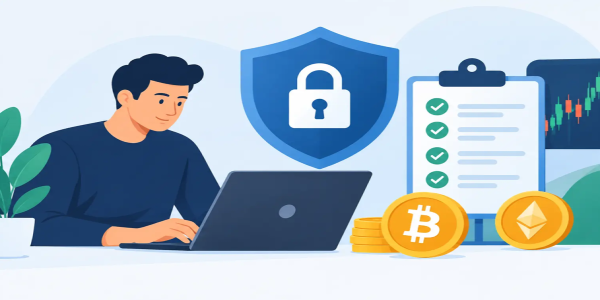
Account Security Checklist for Crypto Traders
Use this account security checklist to protect crypto, secure each login, and trade confidently while keeping control of your assets and privacy intact.
A crypto trade can take seconds. Recovering an account after a phishing attack, compromised email, or exposed recovery code can take far longer - and may cost far more. This account security checklist is built for traders who want fast market access without handing over control of their assets, identity, or next move.
Freedom in crypto means being able to act on opportunity. It also means owning the security decisions that stand between your wallet and someone else’s device. Use the steps below before you fund an account, make a large conversion, or start trading actively.
Start With the Login Nobody Else Can Copy
Your exchange password should not exist anywhere else. Not on an email account, not on a social platform, and not on another trading app. Password reuse is one of the easiest ways a breach on an unrelated service becomes a crypto loss.
Create a long, unique password with a trusted password manager. A random password of 16 characters or more is stronger than a clever phrase with a few predictable symbol swaps. Do not save it in a note app, spreadsheet, browser text file, or screenshot folder.
Your account email deserves the same level of protection. If an attacker controls the inbox tied to your trading account, they may be able to reset passwords, intercept alerts, and approve recovery attempts. Use a dedicated email address for crypto activity when possible. Secure it with a unique password and multi-factor authentication before connecting it to any platform.
Turn On Multi-Factor Authentication
Multi-factor authentication adds a second checkpoint after your password. It is not a substitute for a strong password, but it makes a stolen password much less useful.
An authenticator app is generally a stronger choice than SMS codes. Phone numbers can be targeted through SIM-swap fraud, where criminals convince a mobile carrier to move your number to their device. A hardware security key can offer even more protection for accounts and email providers that support it.
When you set up authentication, store backup codes offline. Write them down and keep them in a secure physical location, or place them in encrypted storage that only you control. Never send recovery codes to yourself through unprotected email, save them in cloud notes, or share them with anyone claiming to be support.
If you change phones, move your authenticator carefully before wiping the old device. Losing access to your own second factor can be frustrating. Giving an attacker access is worse.
Protect Your Recovery Path
Most account takeovers happen through the edges of an account, not through a dramatic technical hack. Think about every recovery option attached to your login: email, mobile number, backup codes, support questions, and connected devices.
Review these paths regularly. Remove an old phone number. Sign out of devices you no longer use. Update recovery information only from a device you trust, and never in response to an unexpected message.
Be especially skeptical when someone creates urgency. A message claiming that your account will be suspended, your withdrawal is pending, or you need to verify a login can feel convincing during a volatile market move. That urgency is the point. Do not use the link in the message. Open the platform yourself through the app or the address you have independently verified.
No legitimate support agent needs your password, authentication code, seed phrase, private key, or full backup code. Anyone who asks for one is not helping you secure your account.
Use a Device You Control
A secure account can still be exposed by an insecure device. Keep the operating system, browser, wallet software, and security updates current. Use a screen lock that is not easily guessed, and enable device encryption where available.
Avoid logging into a trading account from shared computers, public kiosks, or unfamiliar devices. Public Wi-Fi also creates unnecessary risk, particularly if you are entering credentials or making a withdrawal. If you need to act while traveling, use your own mobile connection or a network you trust.
Browser extensions deserve extra attention. Some are useful, but each extension increases the surface area around your trading activity. Remove extensions you no longer need and install only those from a verified publisher. A fake wallet extension can look polished while quietly capturing passwords, addresses, and transaction approvals.
For active traders, a separate browser profile or dedicated device for crypto can be a practical layer of separation. It is not required for every user, but it reduces the chance that everyday browsing, downloads, and unknown extensions collide with your financial activity.
Make Phishing Harder to Pull Off
Phishing pages often copy the logo, colors, and layout of a real exchange. The difference may be a single character in the address, a misleading ad, or a fake prompt asking you to connect a wallet. Never judge legitimacy by appearance alone.
Build a habit of checking the address before entering credentials. Better yet, type the verified address yourself or use a bookmark you created after confirming it. Do not trust search ads, social media replies, direct messages, or “support” accounts that contact you first.
Watch for these common pressure tactics:
- A message says a withdrawal, deposit, or trade needs immediate confirmation.
- A supposed support agent offers to fix an issue through a remote-access app.
- A page asks for a seed phrase to synchronize, validate, or restore a wallet.
- A giveaway promises to double crypto after you send funds first.
- An impersonator asks you to move assets to a “safe” wallet.
Real security never requires you to surrender the keys that control your assets. Once a seed phrase or private key is exposed, treat that wallet as compromised and move funds to a newly created wallet as soon as you safely can.
Secure Funds Before You Move Them
Crypto transactions are designed for speed, but irreversible transfers demand a deliberate final check. Before sending assets, compare the full destination address, not just the first and last few characters. Clipboard-hijacking malware can replace a copied address with an attacker’s address in seconds.
For a new destination, send a small test transaction first when fees and timing make sense. This is especially useful when transferring a meaningful balance, using a new network, or sending to a wallet you have not used before. Check the selected asset and network as well. Sending the right coin on the wrong network can turn a routine transfer into a costly recovery problem.
Keep only the amount you need for current activity on a trading platform. A hot wallet or exchange balance is convenient for fast trades. Long-term holdings may call for storage with a separate security model, such as a self-custody wallet protected by properly stored backup material. The right split depends on how often you trade, how much you hold, and how comfortable you are managing your own recovery process.
Review Permissions and Trading Controls
If you use API keys for bots, portfolio tools, or trading workflows, give each key the minimum permission required. A data-only tool should not have withdrawal authority. Disable unused keys immediately, label active keys clearly, and rotate them if a device or service becomes questionable.
Also review login history, active sessions, approved devices, withdrawal addresses, and account notifications. Enable alerts for new logins, password changes, authentication changes, and withdrawals. An alert will not stop every attack, but early visibility can give you the time to change credentials, revoke sessions, and protect remaining funds.
At Budrigan Market or any platform you use for fast crypto access, convenience should never mean skipping verification of the details that matter. Take a moment to confirm the asset, network, address, and login environment before you approve an action.
Your Account Security Checklist Before Every Major Move
Security works best as a routine, not a one-time setup. Before a major deposit, withdrawal, conversion, or new-device login, ask yourself whether the basics are still true:
- Your password is unique and stored only in a trusted password manager.
- Multi-factor authentication is active, and backup codes are safely offline.
- Your account email is secured with its own password and second factor.
- You reached the platform through a verified address, not a message or ad.
- Your device is updated, locked, and free of unnecessary extensions.
- The recipient address, asset, and network have been checked carefully.
- Alerts, active sessions, recovery details, and API permissions are current.
Do not let speed turn into carelessness. The strongest traders move quickly when the market demands it, then slow down for the few seconds that protect their access, their privacy, and their next opportunity.
Share This Post
Recent Posts
-
Why Crypto Prices Differ Across Exchanges
22 Oct 2026
-
Crypto Price Alerts That Help You Trade Faster
22 Oct 2026
-
Crypto Arbitrage Taxable? What U.S. Traders Owe
22 Oct 2026
-
Crypto Liquidity Assessment for Smarter Trades
22 Oct 2026
-
Your Guide to Blockchain Transaction Fees
20 Oct 2026